Outbound Bridge
Sending AI3 to an External Network
The screenshots below show bridging to Ethereum, but the same steps apply when bridging to BNB Chain or Solana - simply select your preferred destination network in the bridge UI.
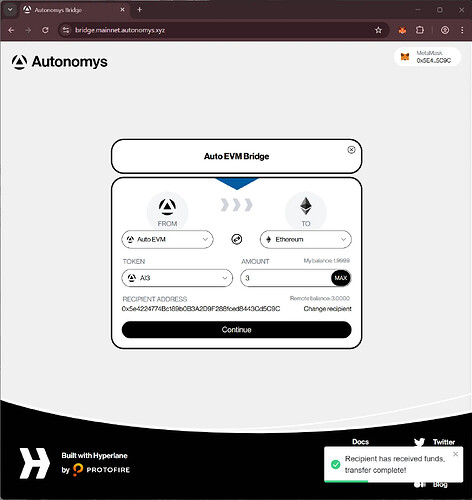
- Select the AI3 token and enter the amount you want to transfer.

- Make sure that Auto EVM is selected as the From network and Ethereum as the To network and click
Continue.

- Verify you are happy with the proposed transfer and either click
Editto adjust or clickSend to Ethereum.
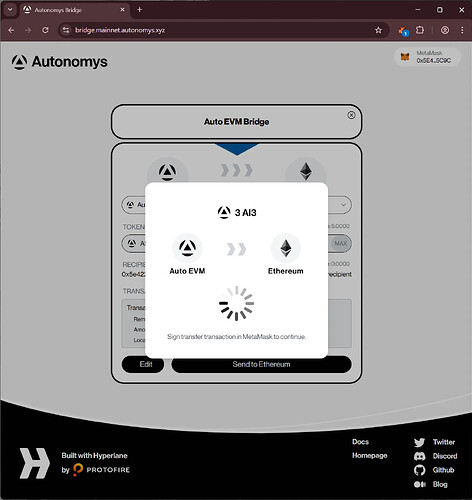
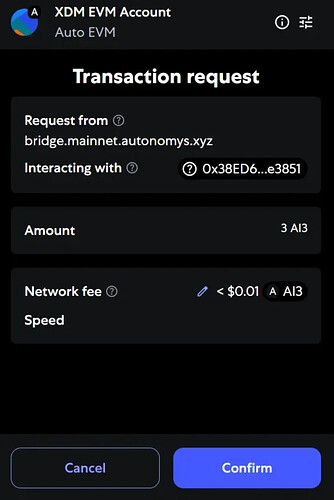
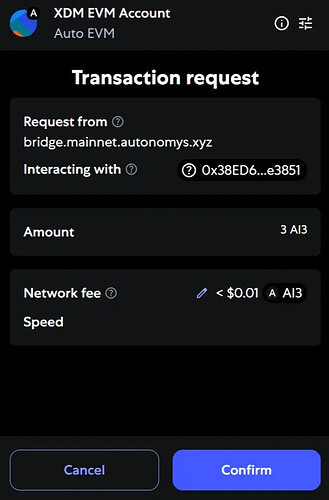
- Approve the transaction in Metamask by clicking
Confirm.
Adjusting Gas Limit
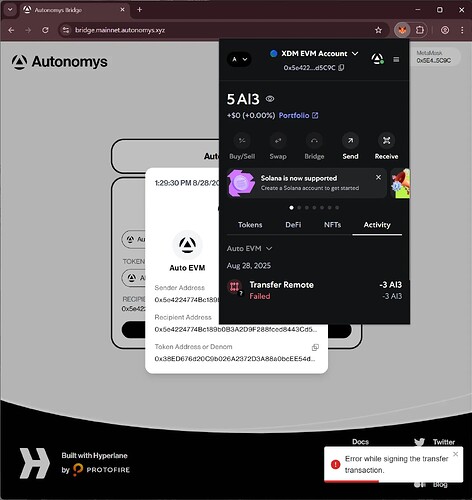
- If you receive an error you may need to adjust the gas limit on the transaction.
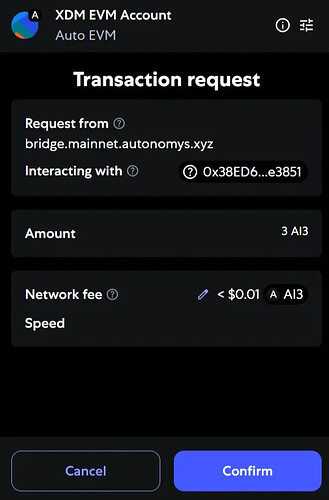
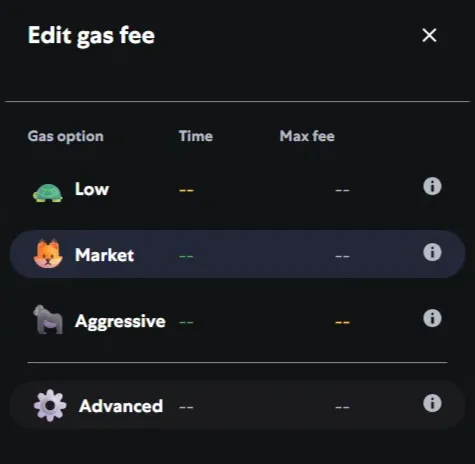
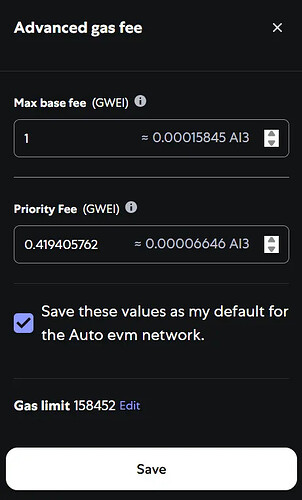
- Clicking
Advancednext to the gear icon and then the up arrow once on the Max base fee usually adds enough gas to complete the transaction. Click on theSave these valuescheckbox if you want to avoid this step in the future. ClickSave.
- Next click
Confirm.
- A summary of the bridge transfer will popup with addresses, the transaction hash, and links to the relevant explorers.

- You should see success toasts in the bottom right of the website.

Adding Bridged Tokens to Your Wallet
Ethereum
-
To view your bridged AI3 on Ethereum you will need to add the token to Metamask. The Ethereum WAI3 contract can be found at 0x363FCa95F23E10C76ef793D62d92d39e89d83AC1 which will need importing.
-
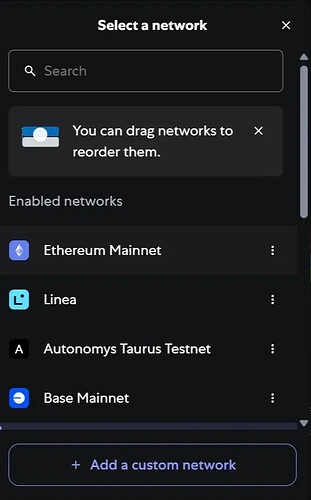
First, switch network in Metamask to Ethereum.
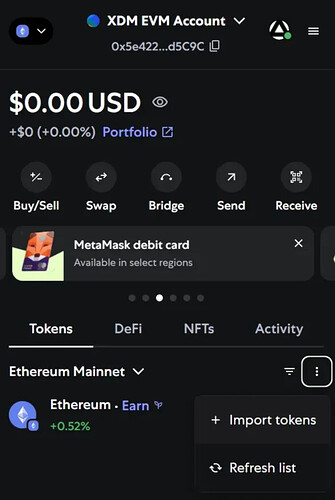
- Go to the Tokens tab, click the hamburger button on the right and click
Import Tokens.
- Switch to the Custom token tab, select Ethereum Mainnet and enter the contract address
0x363FCa95F23E10C76ef793D62d92d39e89d83AC1. The symbol and decimals will auto-populate.

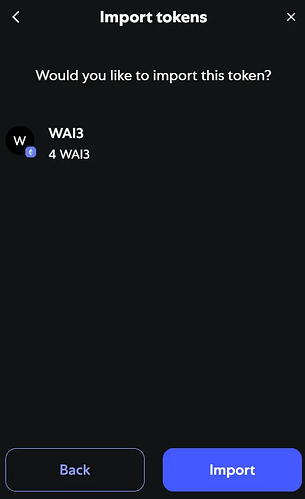
- Click
Nextand confirm you would like to import. ClickImportto continue.
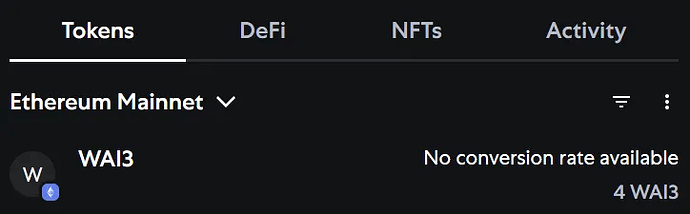
- The token and your balance now appears.
BNB Chain
-
To view your bridged AI3 on BNB Chain you will need to add the token to Metamask. The BNB Chain WAI3 contract can be found at 0x220375118d0600a8fce7bf1aad5fcf2ae6ed069b which will need importing.
-
Switch network in Metamask to BNB Chain, then follow the same steps as Ethereum above: go to the Tokens tab, click the hamburger button, click
Import Tokens, switch to the Custom token tab, and enter the contract address0x220375118d0600a8fce7bf1aad5fcf2ae6ed069b. The symbol and decimals will auto-populate.
Solana
On Solana, the bridged token is AI3 (not WAI3). You will need a Solana-compatible wallet such as Phantom or Solflare.
-
To view your bridged AI3 on Solana, open your Solana wallet and add the token using the contract address
veS2vDmcRY1Bd1zsC1TLiG85rXSwz119UCZAvNZBt7n. -
In Phantom, go to the tokens list, click
+, and paste the contract address. The token name and symbol will auto-populate.