概述
This guide explains how to safely securely transfer and bridge tokens between Auto EVM and supported external blockchain networks.
Supported Networks
The Autonomys Bridge currently supports the following external networks:
| Network | 状态 |
|---|---|
| Ethereum | Live |
| BNB Chain | Live |
| Solana | Live |
The step-by-step instructions in this guide utilize Ethereum as the baseline example, but the exact same transactional flow applies to BNB Chain and Solana. Simply select your preferred network interface within the bridge UI when choosing your source or destination chain.
Token Contract Addresses
When importing or adding bridged tokens to your Web3 wallet application, utilize the following official contract addresses:
| Network | Token | Contract Address |
|---|---|---|
| Ethereum | WAI3 | 0x363FCa95F23E10C76ef793D62d92d39e89d83AC1 |
| BNB Chain | WAI3 | 0x220375118d0600a8fce7bf1aad5fcf2ae6ed069b |
| Solana | AI3 | veS2vDmcRY1Bd1zsC1TLiG85rXSwz119UCZAvNZBt7n |
Connecting Your Wallet to the Bridge
- Mainnet Bridge Portal
- Chronos Testnet Bridge Portal — Use this environment to test bridging operations securely with testnet assets.
To acquire tAI3 testnet tokens, utilize the Official Web Faucet or request them via the /faucet slash command within the dedicated #faucet channel on the Autonomys Discord Server. Token requests are limited to once every 24 hours. Review the Full Faucet Guide for deeper technical parameters.
- Navigate to the official Mainnet Bridge Platform.
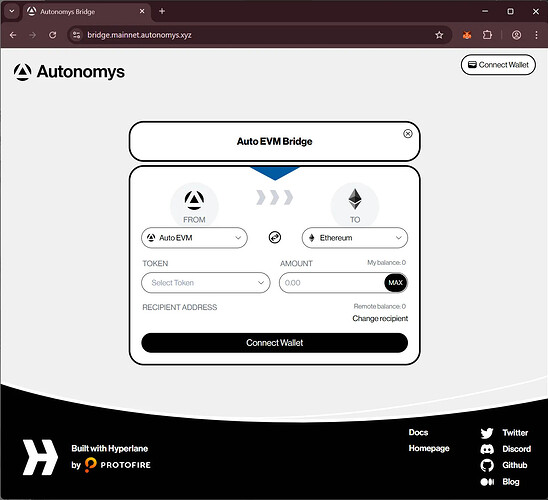
- Connect your Web3 wallet by clicking the
Connect Walletaction button located in the upper right-hand corner of the user interface.
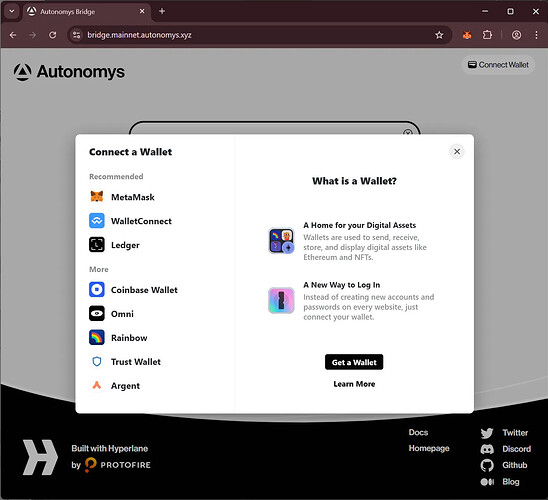
- You will be prompted to select your preferred provider. This guide demonstrates the flow utilizing MetaMask.
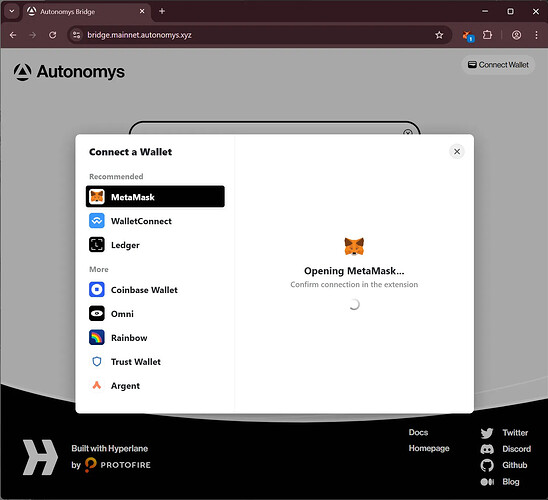
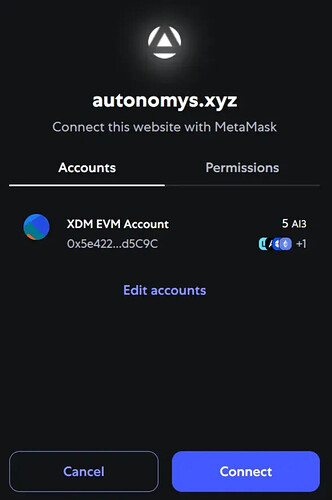
- Authorize the connection profile within the MetaMask extension popup.
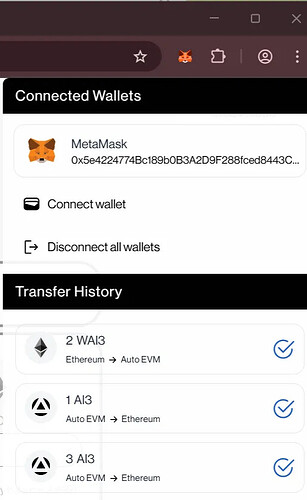
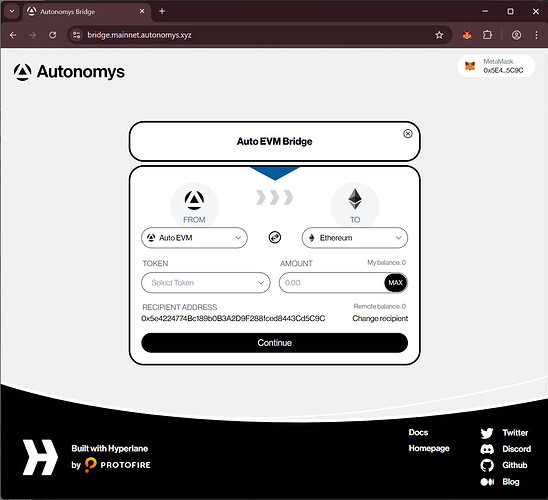
- Once authorized, your active wallet address will display in the top right corner. Note that the recipient field automatically defaults to your currently connected wallet address.
Core Bridging Channels
For comprehensive walkthroughs on transmitting AI3 from Auto EVM out to an external environment (Ethereum, BNB Chain, or Solana), please refer to the structural Outbound Bridge Guide.
For explicit details on routing assets from an external network into Auto EVM, please refer to the structural Inbound Bridge Guide.
Tracking Bridge Transactions
Click the clock icon on the application interface to view historical bridge ledgers and verify past transaction executions. To close the history slide-out panel, simply select the navigation arrows located on the left edge.