Stake with the Substrate Portal
This comprehensive guide will walk you through the complete process of staking to an operator using the Polkadot.js interface (Substrate Portal) in conjunction with the Talisman wallet.
For most users we recommend the Stake with the Staking Portal Recommended guide, which walks you through staking and unstaking using the Autonomys Staking Portal without constructing extrinsics by hand. The guide below covers the manual Substrate Portal approach.
Step 1: Access Polkadot.js Apps
Navigate to Polkadot.js Apps to begin the staking process. Choose the appropriate network:

Step 2: Connect Your Talisman Wallet
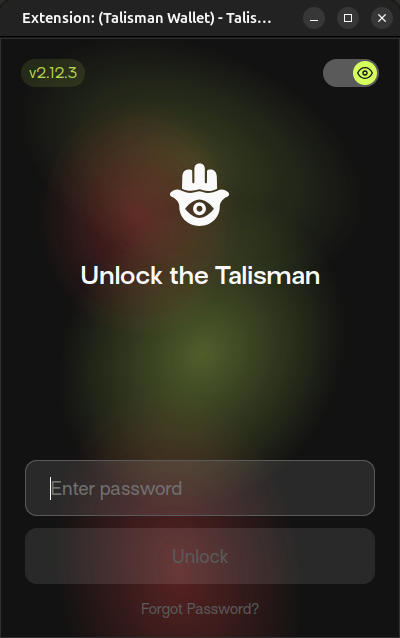
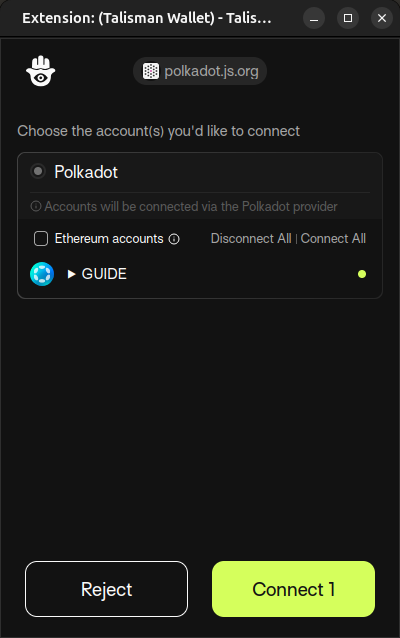
When you access Polkadot.js Apps, you will be prompted to unlock your Talisman wallet if needed. You may also be presented with a popup from your Talisman wallet requesting permission to connect to the Polkadot.js interface if you have not performed this operation before. Select the wallet account(s) you want to use for staking and click "Connect" to establish the connection.
Wallet Connection Interface
Step 3: Navigate to Extrinsics
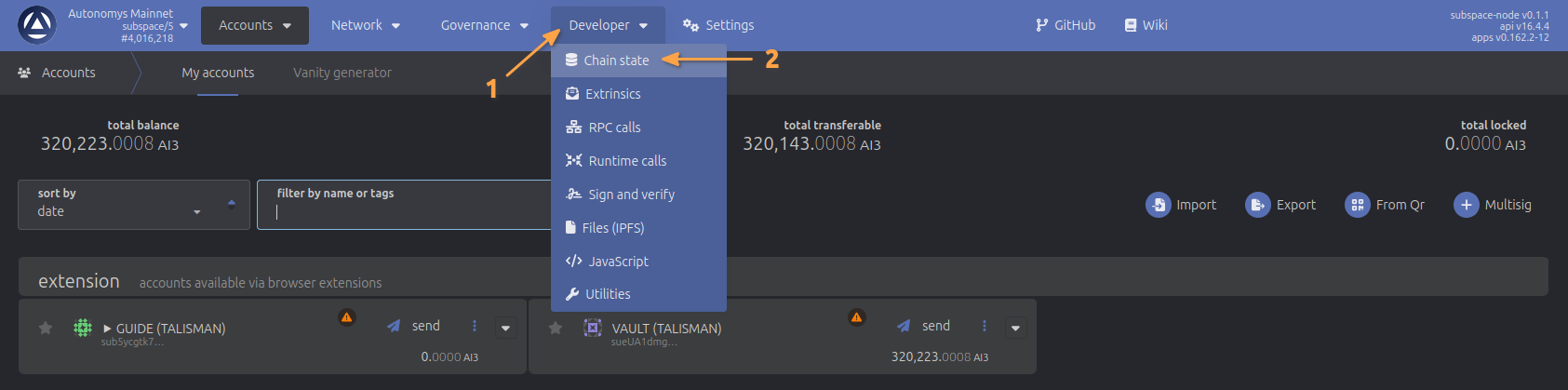
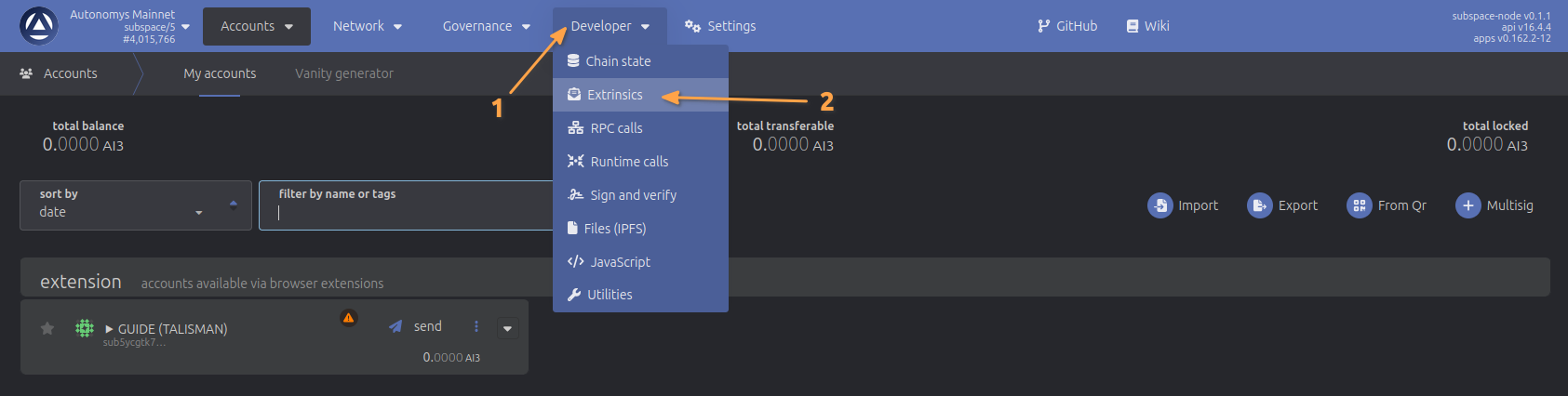
Once your wallet is connected, navigate to the Developer section from the top navigation bar, then select Extrinsics from the dropdown menu.
Navigation Interface
Step 4: Configure Staking Parameters
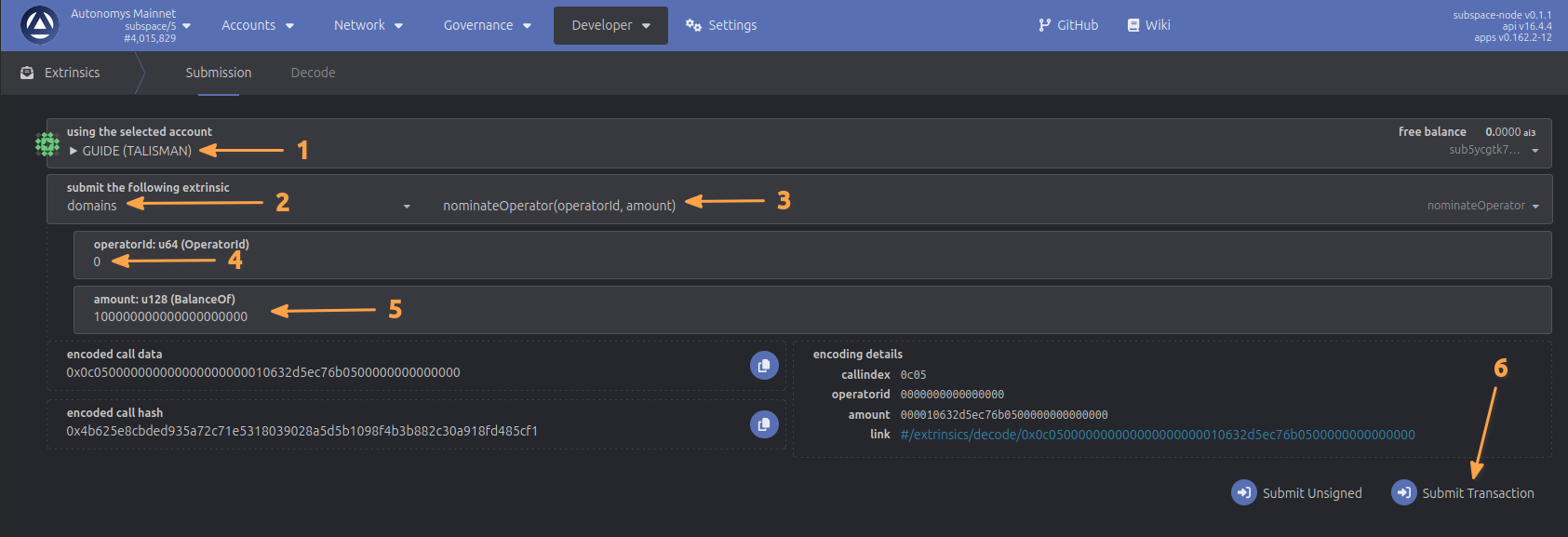
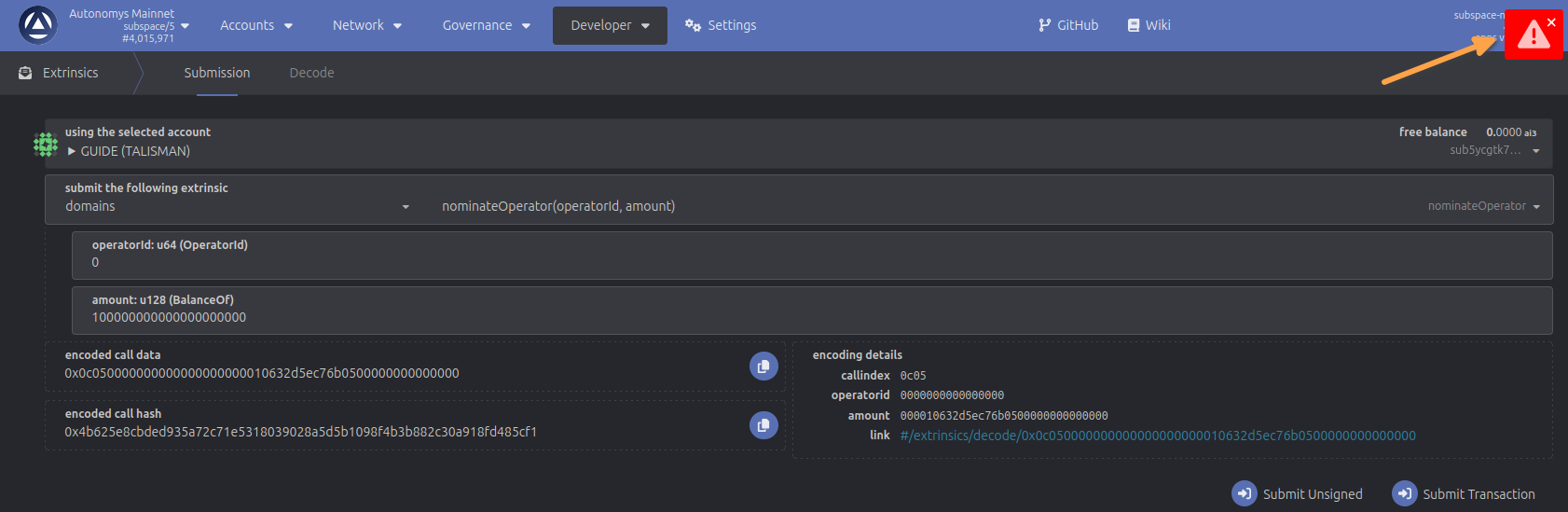
In the Extrinsics interface, you'll need to configure the following parameters:
- Select your account - Choose the account you want to use for staking from the dropdown
- Select the pallet - Choose
domainsfrom the submit the following extrinsic dropdown - Select the call - Choose
nominateOperatorfrom the call dropdown - Operator ID - Enter the operator ID you want to nominate (e.g.,
0or1) - Amount - Enter the staking amount in Shannons. For example, to stake 100 AI3, enter
100000000000000000000(100 followed by 18 zeros, as amounts are denominated in Shannons) - Submit the transaction - Click the "Submit Transaction" button to proceed
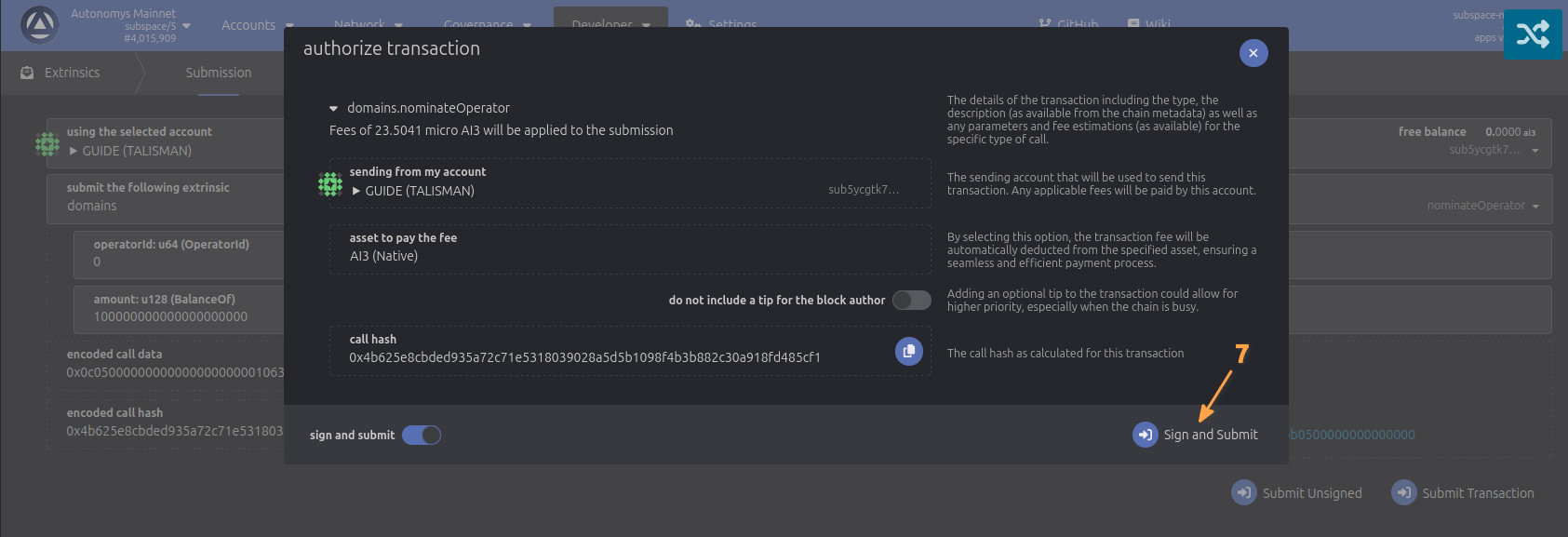
- Authorize the transaction - After clicking "Submit Transaction", you'll be prompted to authorize the transaction in your Talisman wallet. Review the transaction details and click "Approve" to proceed with the staking nomination.
Staking Configuration
Staking Complete
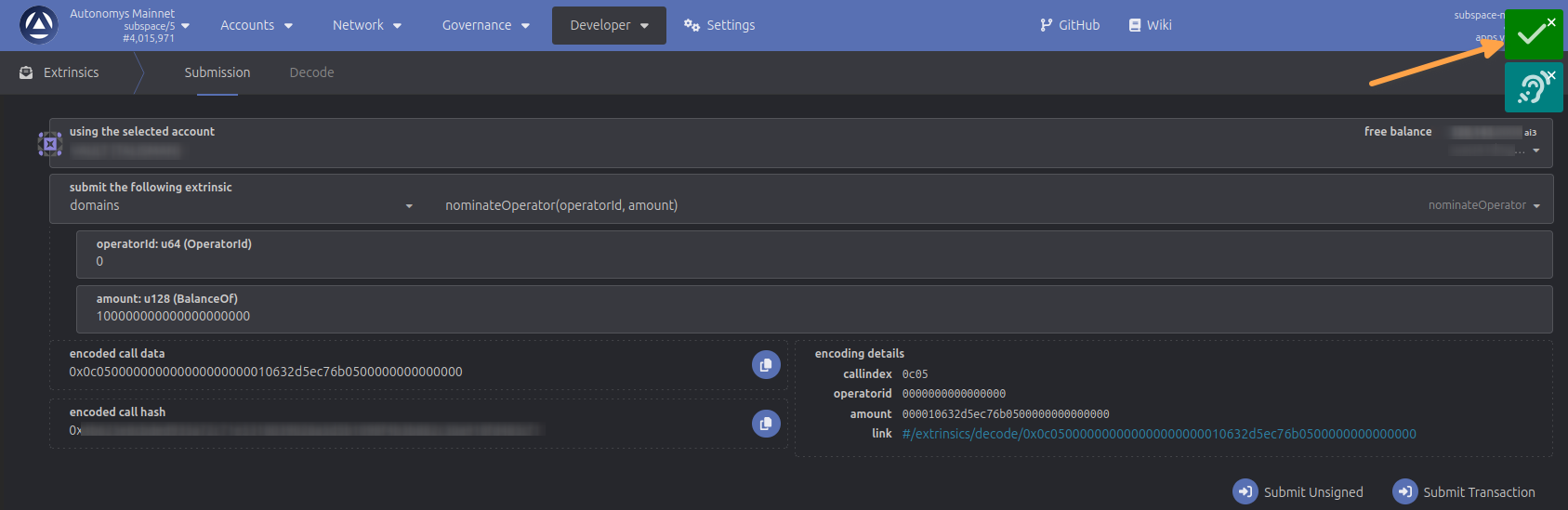
Once you've authorized the transaction, you'll see a confirmation message indicating whether your staking nomination was successful or if there was an error.
Successful Staking: If everything was configured correctly, you'll see a green checkmark confirming that your staking nomination has been completed successfully.
Error Handling: If you encounter an error, it's likely due to entering an incorrect amount in the amount field or insufficient balance in your wallet. Review your inputs and ensure you have enough AI3 tokens to complete the staking process.
Transaction Results
Verify Your Stake
After successfully completing the staking process, you can verify and view your stake on the operator.
To check your staking status:
- Navigate to the Developer section from the top navigation bar
- Select Chain State from the dropdown menu.
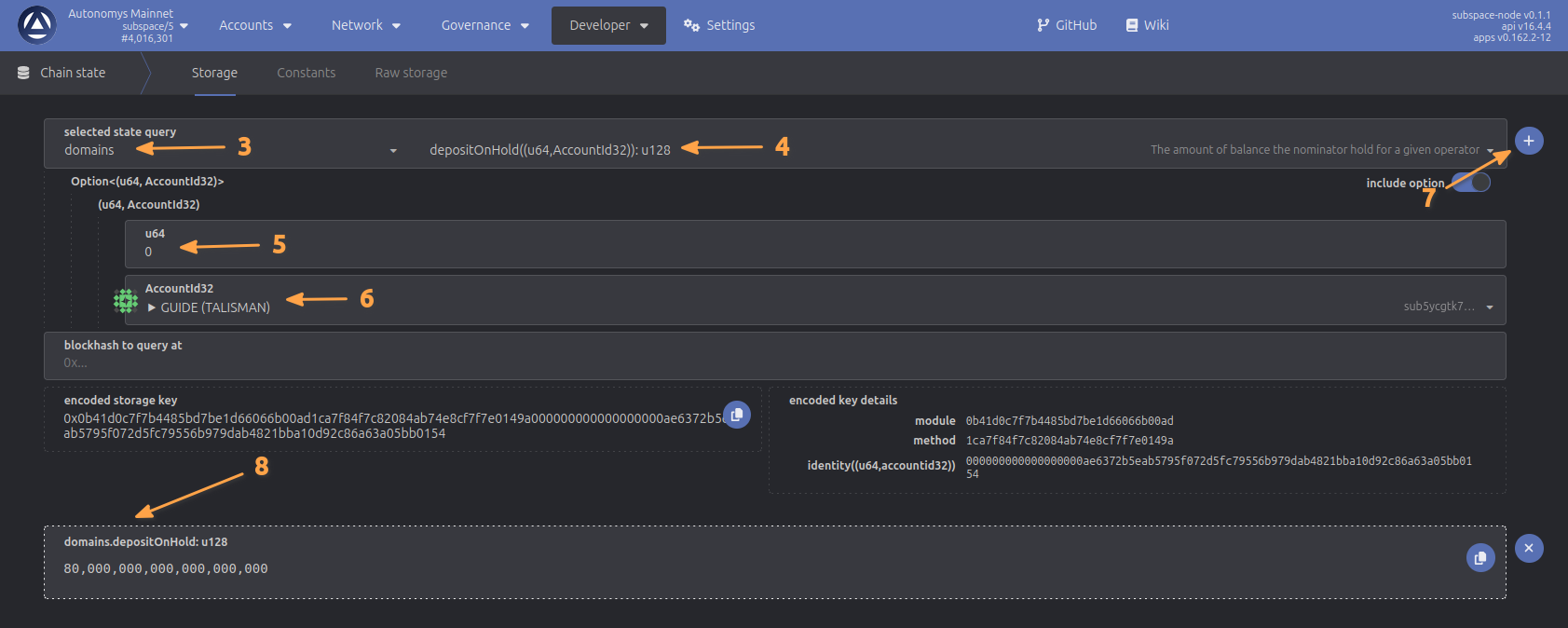
- Select domains from the pallet dropdown
- Select depositOnHold from the query dropdown
- Enter the operator ID you staked to
- Enter your wallet address that you staked with
- Click the plus button to trigger the lookup
- View the staked amount in the results
The displayed staked amount will only show 80% of the funds you originally staked. This is because 20% of each nominator's deposit is reserved in the operator's storage fee fund to pay for bundles the operator creates. This does not affect the stake distribution and is proportionally refunded with each withdrawal. The remaining 80% is locked in the nominator's wallet.
Stake Verification