Transfer with Subspace Tools
The Subspace Tools XDM sender is the easiest way to move AI3 between the Autonomys consensus chain and Auto EVM. It guides you through choosing a direction, connecting your wallet, entering the recipient and amount, and tracking the transfer, without constructing extrinsics by hand. Recommended
If you'd rather submit the transfer extrinsics yourself via Polkadot.js Apps, see the Transfer with the Substrate Portal guide, which also explains the underlying timing, fees, and challenge periods in more detail.
- Auto EVM to consensus: an EVM wallet such as MetaMask or Rabby, connected to Autonomys Mainnet Auto EVM (chain ID 870).
- Consensus to Auto EVM: a Substrate wallet - SubWallet, Talisman, or the Polkadot.js extension.
You type the destination address in manually, so you don't need both wallets connected at once. Keep a small amount of AI3 unstaked to cover transaction fees.
How XDM transfers work
A few things worth knowing before you transfer:
- Direction sets the timing. Consensus to Auto EVM completes in about 10 minutes (100 domain blocks). Auto EVM to consensus takes about 1 day (14,400 domain blocks) - this is a security challenge period built into the protocol.
- Minimum transfer. The minimum XDM transfer is 1 AI3. The MAX button keeps a small buffer back for gas.
- Fees. You pay a network transaction fee on the source chain. XDM transactions cost a little more than a standard transfer because they pay for execution on both chains, but the amount is still small.
- Transfers cannot be reversed. Always double-check the destination address before sending.
Transfer from the consensus chain to Auto EVM
Use this direction to move AI3 from the consensus chain onto Auto EVM. This direction is faster, completing in about 10 minutes.
Step 1: Open the XDM sender and choose your direction
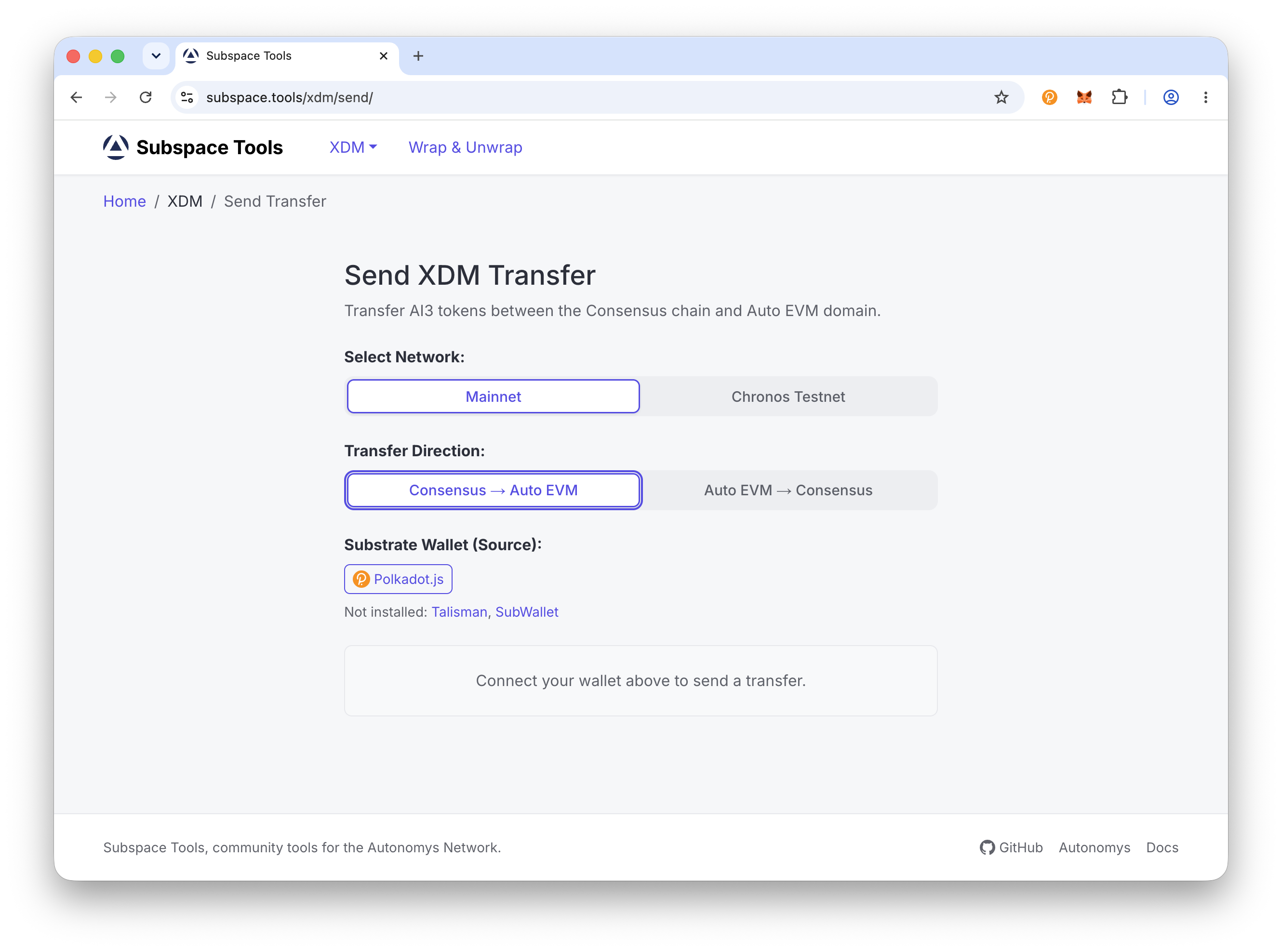
Go to subspace.tools/xdm/send. Under Select Network choose Mainnet, then under Transfer Direction choose Consensus to Auto EVM.
Network & Direction
Step 2: Connect your Substrate wallet
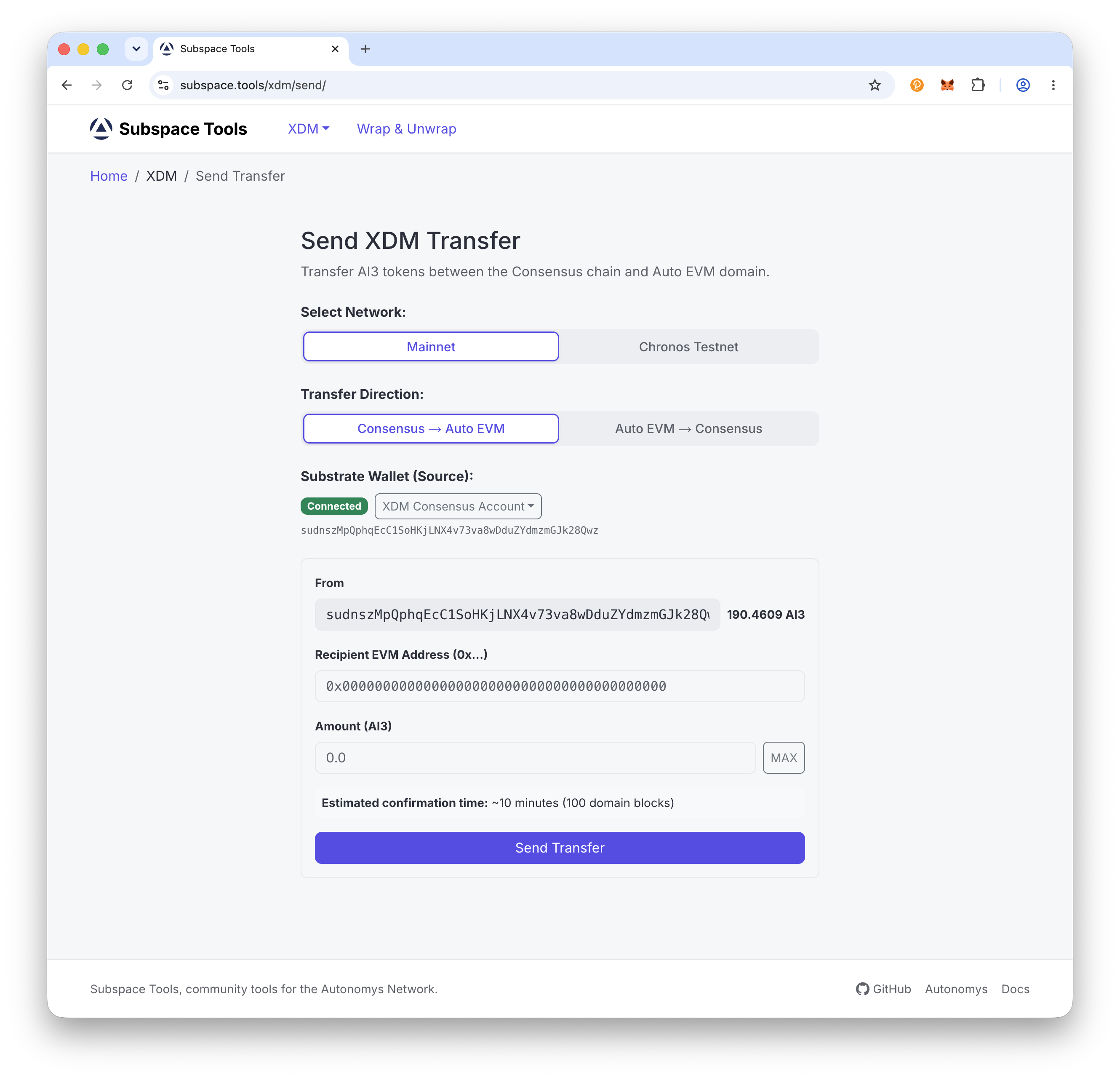
Under Substrate Wallet (Source) connect your Substrate wallet (SubWallet, Talisman, or Polkadot.js) and select the account holding your AI3.
Connect Substrate Wallet
Step 3: Enter the recipient address and amount
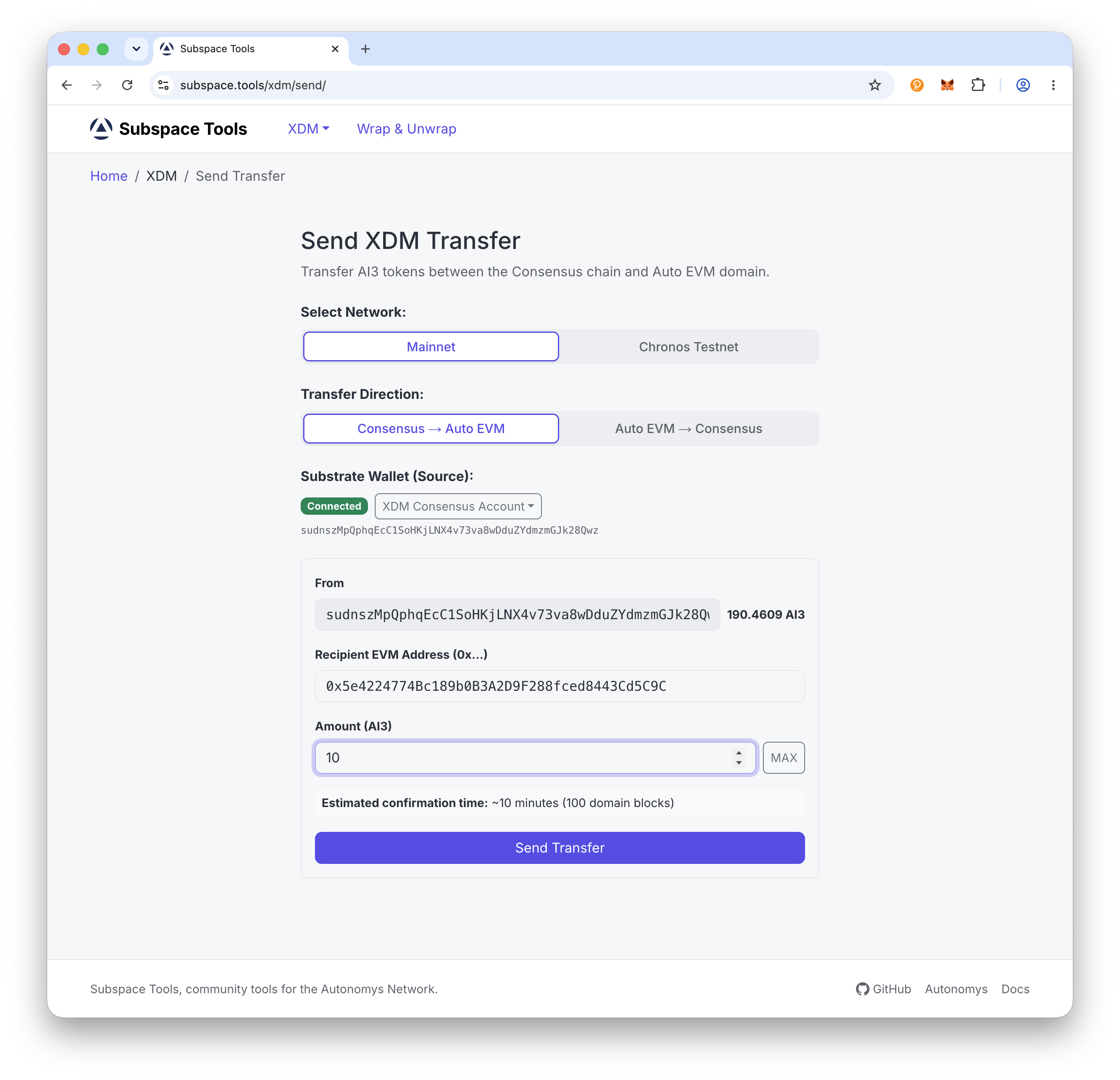
In Recipient EVM Address (0x...) paste the Auto EVM address you want to receive the tokens (it starts with 0x). Then in Amount (AI3) enter how much to transfer, or click MAX. The minimum transfer is 1 AI3, and the form shows an estimated confirmation time of about 10 minutes.
Recipient & Amount
Step 4: Send and confirm
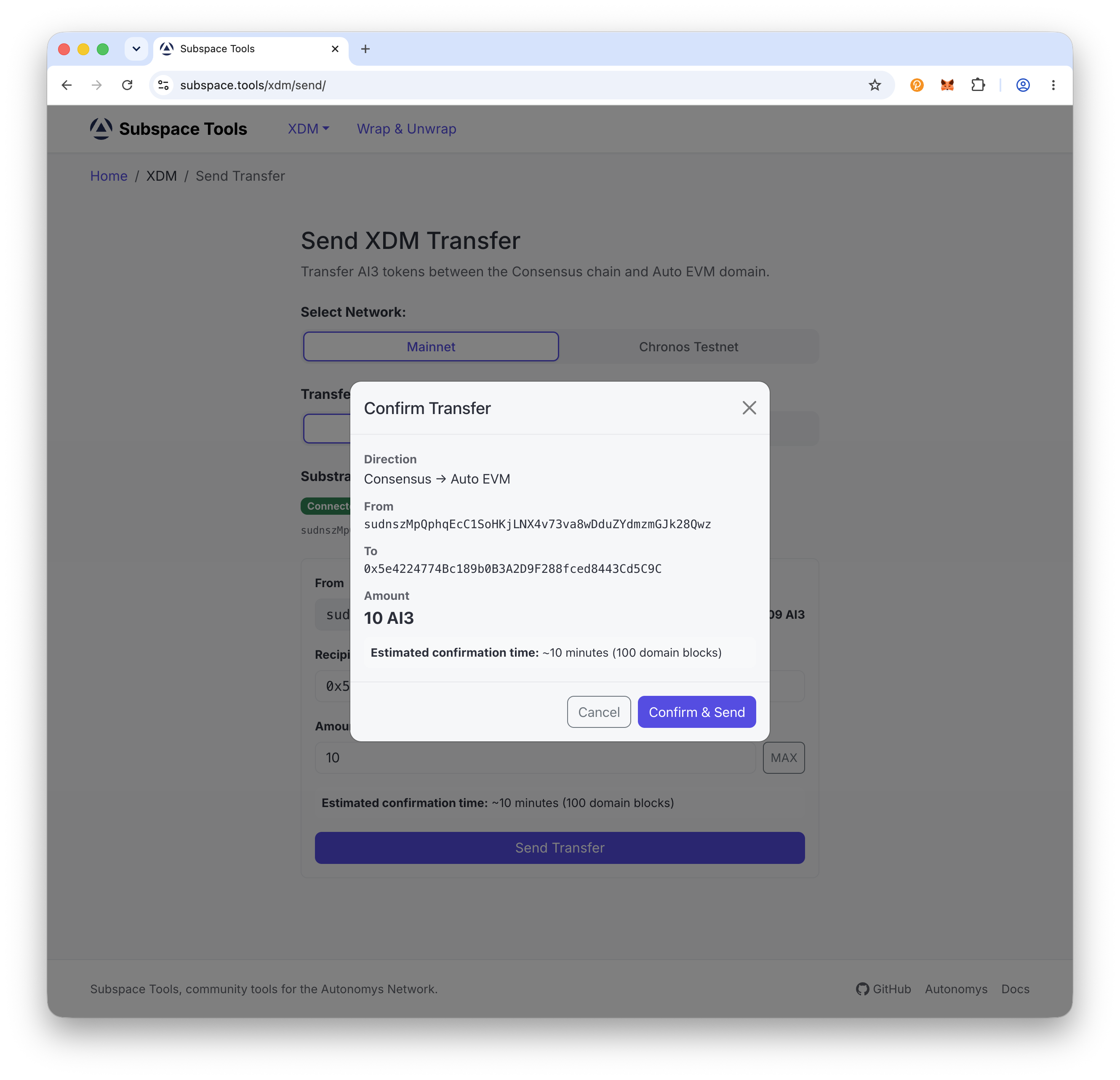
Click Send Transfer. Review the Confirm Transfer dialog, click Confirm & Send, then sign the transaction in your wallet.
Confirm & Sign
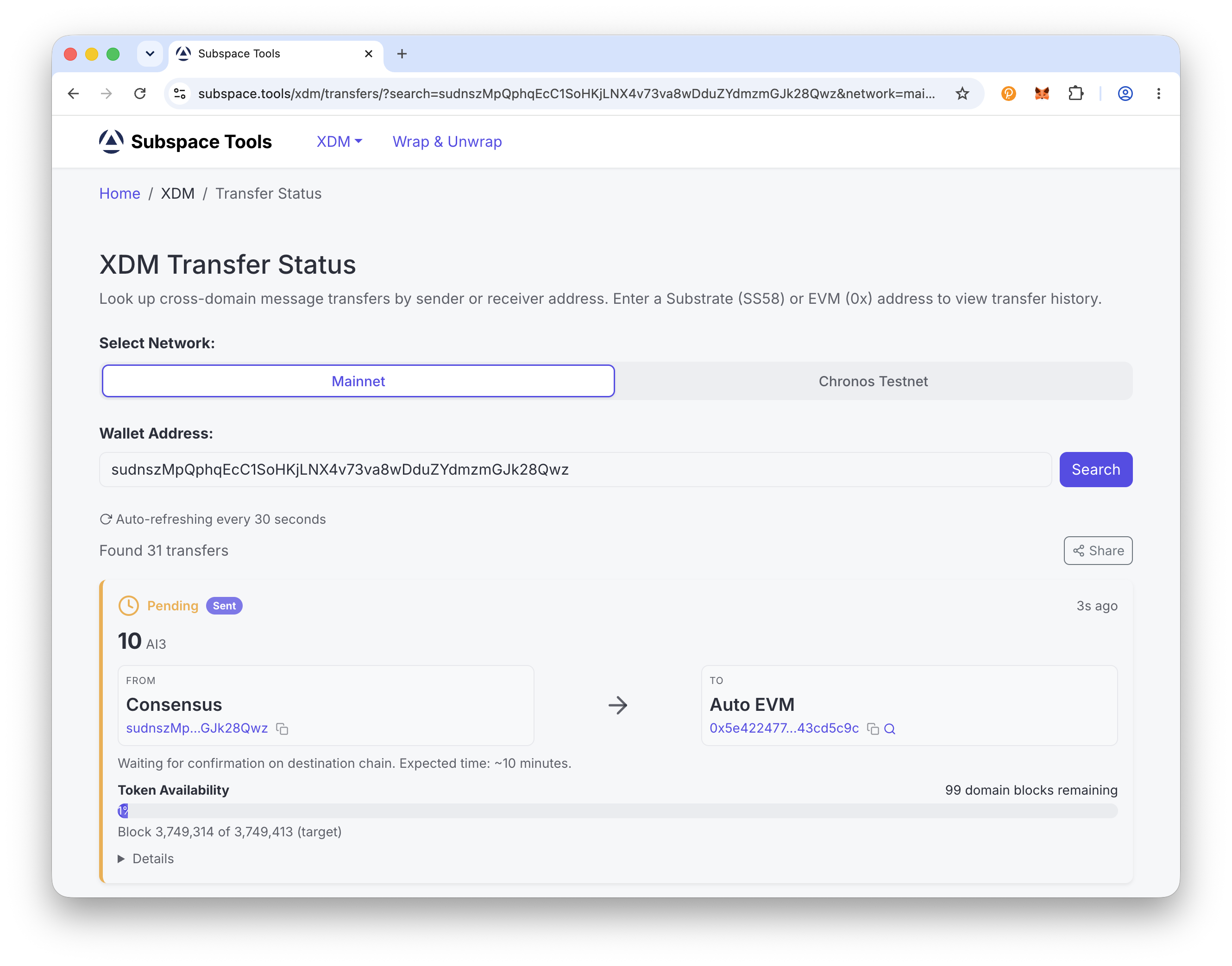
Step 5: Track your transfer
You are taken to the XDM Transfer Status page, which auto-refreshes every 30 seconds. This direction completes in about 10 minutes (100 domain blocks).
Transfer Status
Transfer from Auto EVM to the consensus chain
Use this direction to move AI3 from Auto EVM onto the consensus chain. This direction takes about 1 day to confirm.
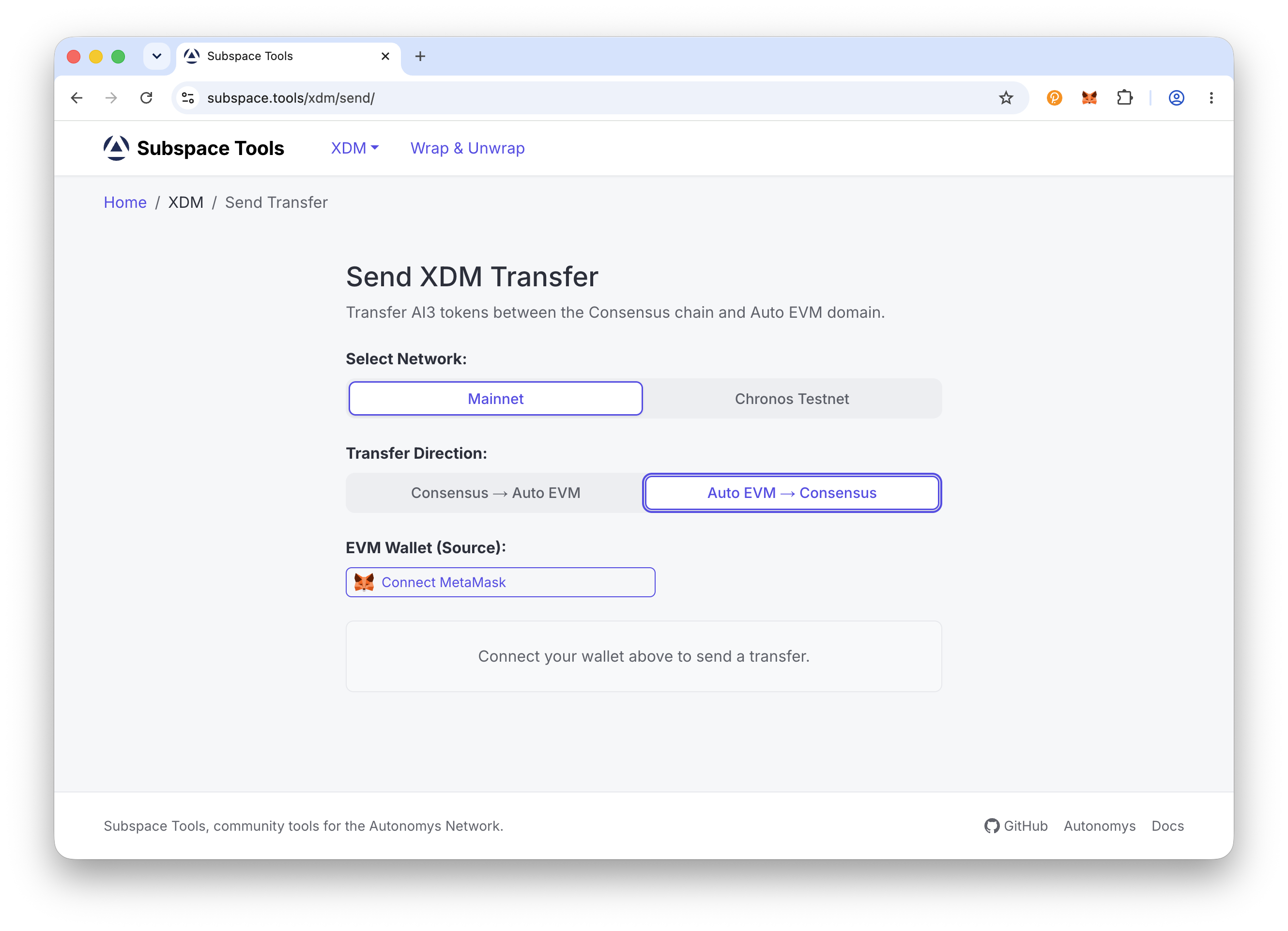
Step 1: Open the XDM sender and choose your direction
Go to subspace.tools/xdm/send. Under Select Network choose Mainnet, then under Transfer Direction choose Auto EVM to Consensus.
Network & Direction
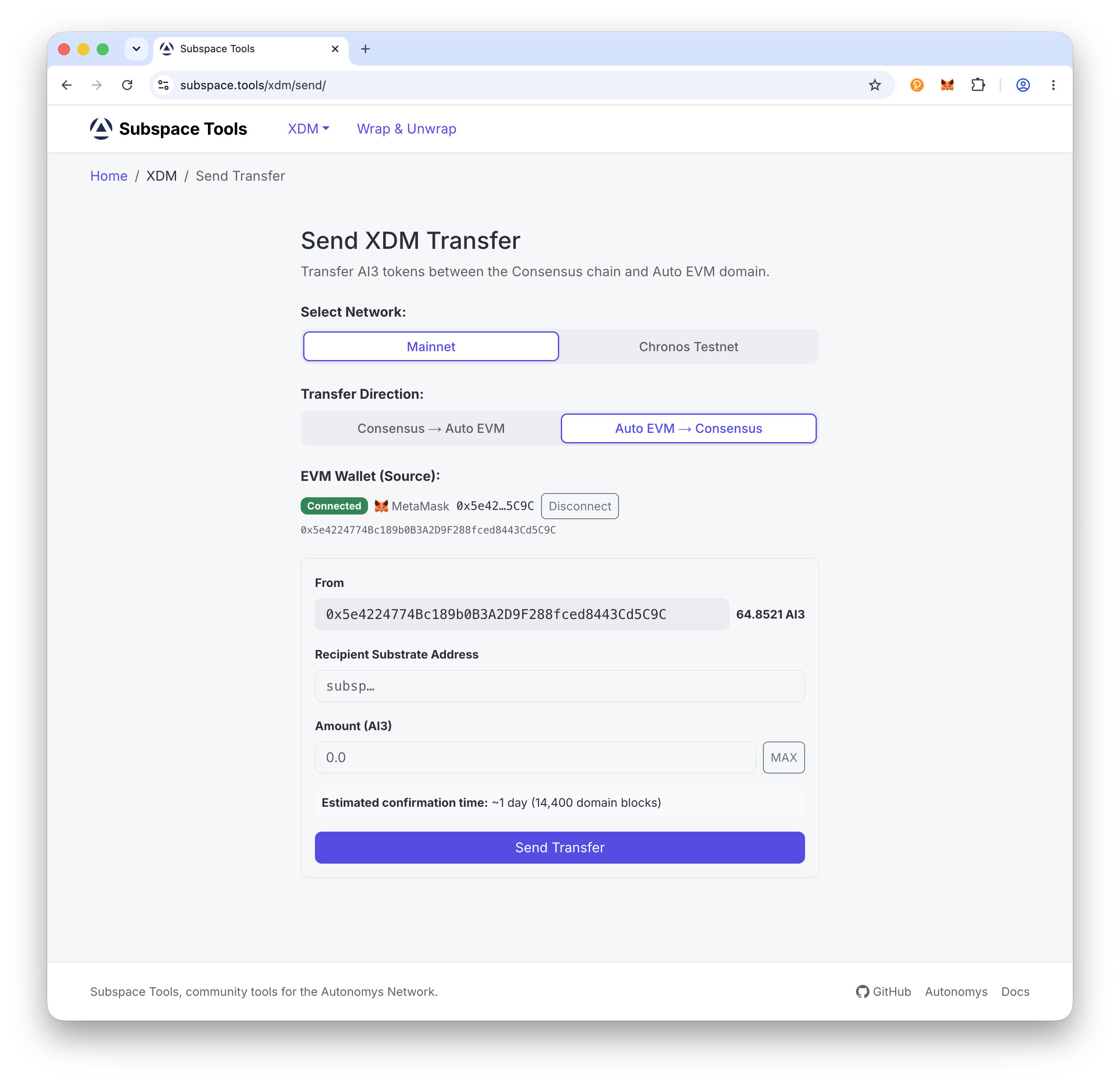
Step 2: Connect your EVM wallet
Under EVM Wallet (Source) click Connect MetaMask (or your EVM wallet) and approve the connection. Make sure the wallet is on the Autonomys Mainnet Auto EVM network (chain ID 870) - if you see Wrong Network, click Switch Network.
Connect EVM Wallet
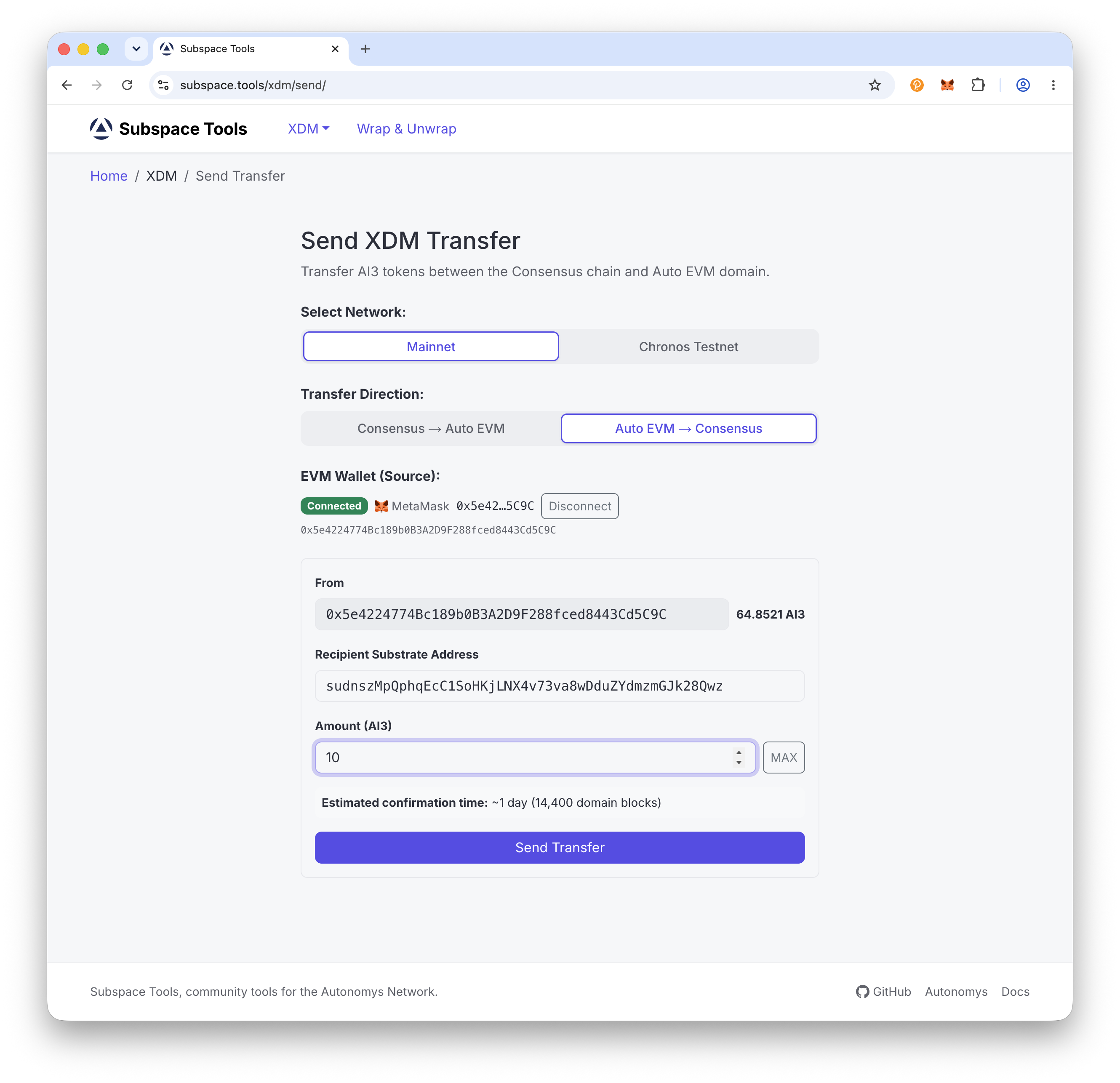
Step 3: Enter the recipient address and amount
In Recipient Substrate Address paste the consensus-chain address you want to receive the tokens (it starts with sub...) - make sure you control it. Then in Amount (AI3) enter how much to transfer, or click MAX (a small buffer is kept back for gas). The minimum transfer is 1 AI3, and the form shows an estimated confirmation time of about 1 day.
Recipient & Amount
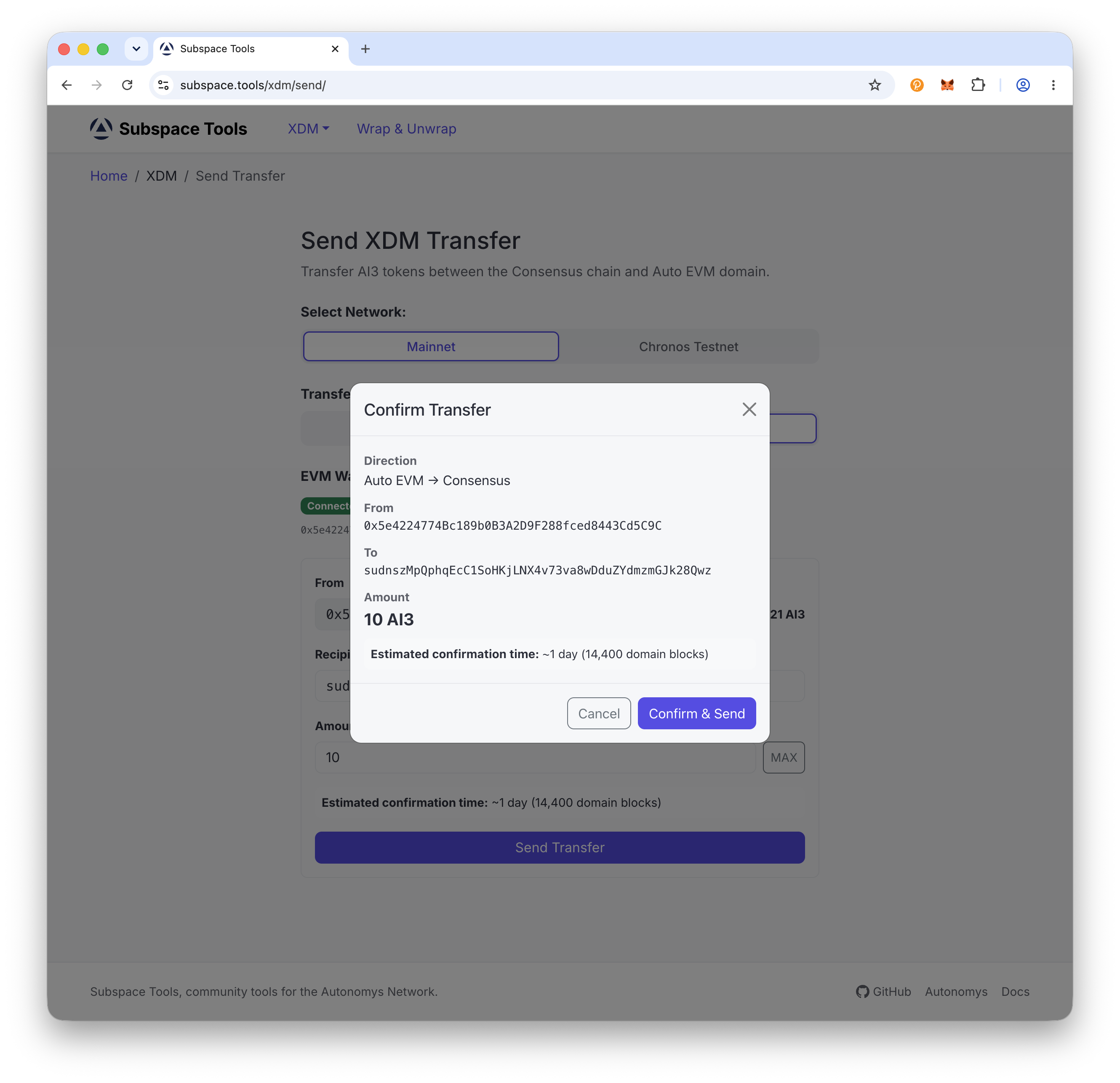
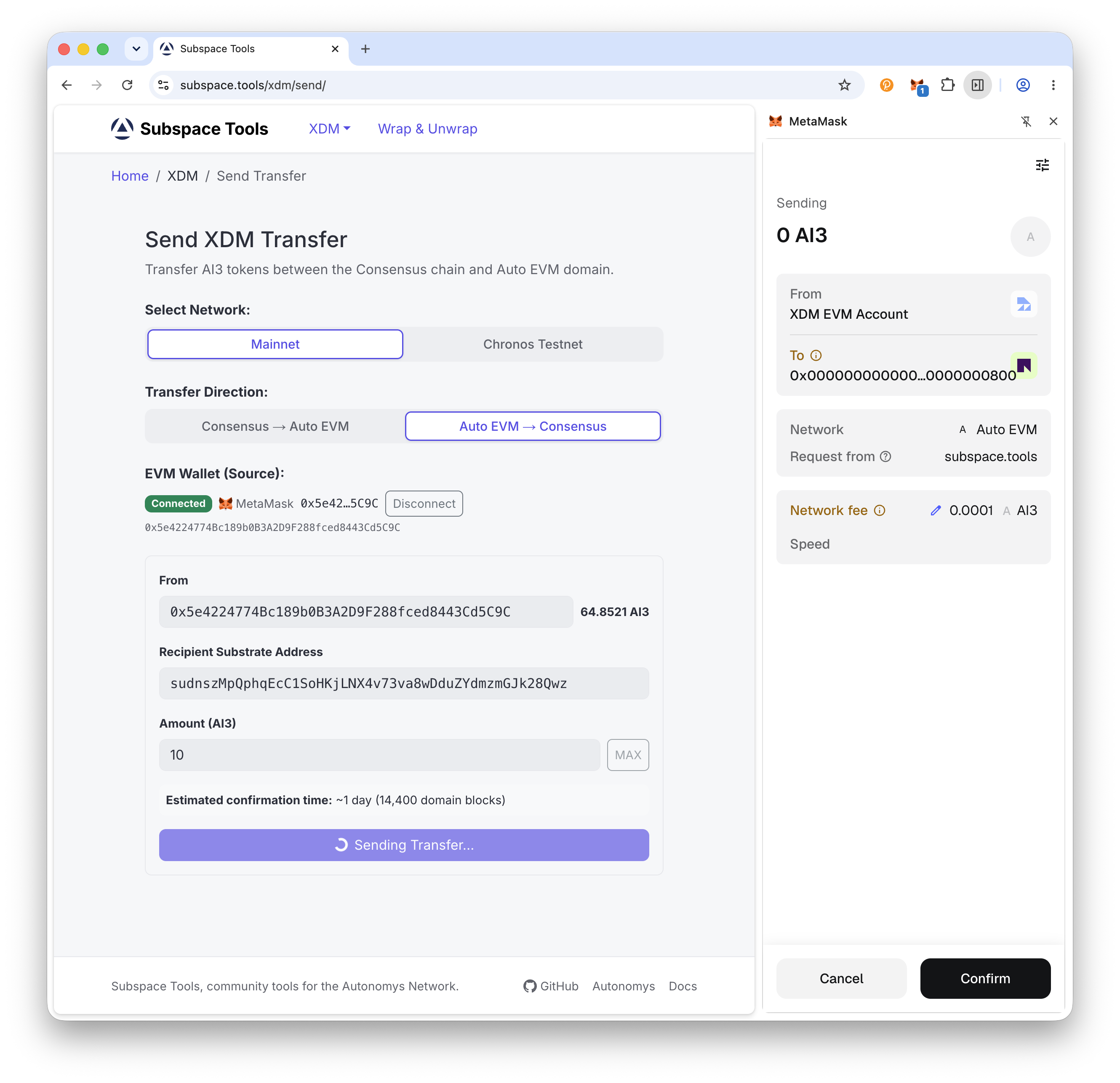
Step 4: Send and confirm
Click Send Transfer. Review the Confirm Transfer dialog (direction, from, to, and amount), click Confirm & Send, then sign the transaction in your wallet.
Confirm & Sign
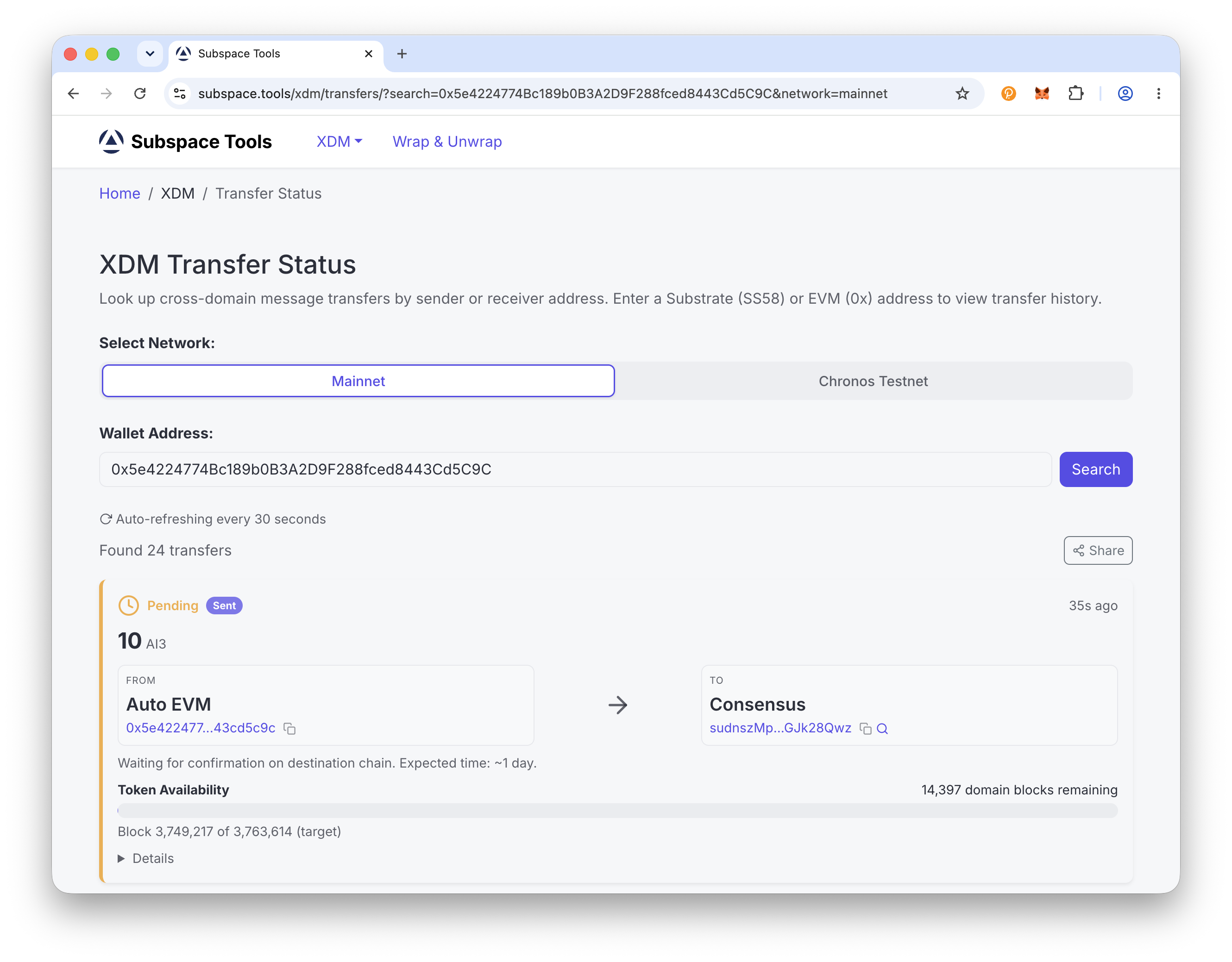
Step 5: Track your transfer
You are taken to the XDM Transfer Status page, which auto-refreshes every 30 seconds. The transfer takes about 1 day (14,400 domain blocks) to complete, after which your AI3 arrives on the consensus chain.
Transfer Status
Часто задаваемые вопросы
What is XDM?
XDM (Cross Domain Messaging) is how AI3 moves between the Autonomys consensus chain and the Auto EVM domain. It is the official bridge between the two environments. This guide uses the Subspace Tools XDM sender; for background on how it works, see the Transfer with the Substrate Portal guide.
How long does an XDM transfer take?
It depends on the direction:
- Consensus to Auto EVM: about 10 minutes (100 domain blocks)
- Auto EVM to consensus: about 1 day (14,400 domain blocks)
The longer time for Auto EVM to consensus is a security challenge period built into the protocol.
Is there a minimum transfer amount?
Yes. The minimum XDM transfer is 1 AI3. The sender also keeps a small amount of AI3 back to cover gas when you use the MAX button.
Which wallet do I need?
It depends on the source chain you are transferring from:
- Auto EVM to consensus: an EVM wallet such as MetaMask or Rabby, connected to Auto EVM (chain ID 870)
- Consensus to Auto EVM: a Substrate wallet such as SubWallet, Talisman, or Polkadot.js
The recipient address is typed in manually, so you do not need both wallets connected at once.
What address do I send to?
You enter the destination address yourself:
- Transferring to the consensus chain: enter your consensus (Substrate) address in Recipient Substrate Address
- Transferring to Auto EVM: enter your 0x address in Recipient EVM Address (0x...)
Double-check the address - transfers cannot be reversed.
How do I track my transfer?
After sending, you are taken to the XDM Transfer Status page, which auto-refreshes every 30 seconds and shows the progress of your transfer until it completes.
Are there fees?
You pay a network transaction fee on the source chain. XDM transactions are charged at a higher weight than a standard transfer because they pay for execution on both chains, but the cost is still small.
Can I stake AI3 once it's on the consensus chain?
Yes. Staking takes place on the consensus chain - see the Stake with the Staking Portal guide to nominate an operator.